Site Audit & Technical SEO
Audit your entire site, detect 25+ technical issues, get prioritized fix action items, and track your health score over time.
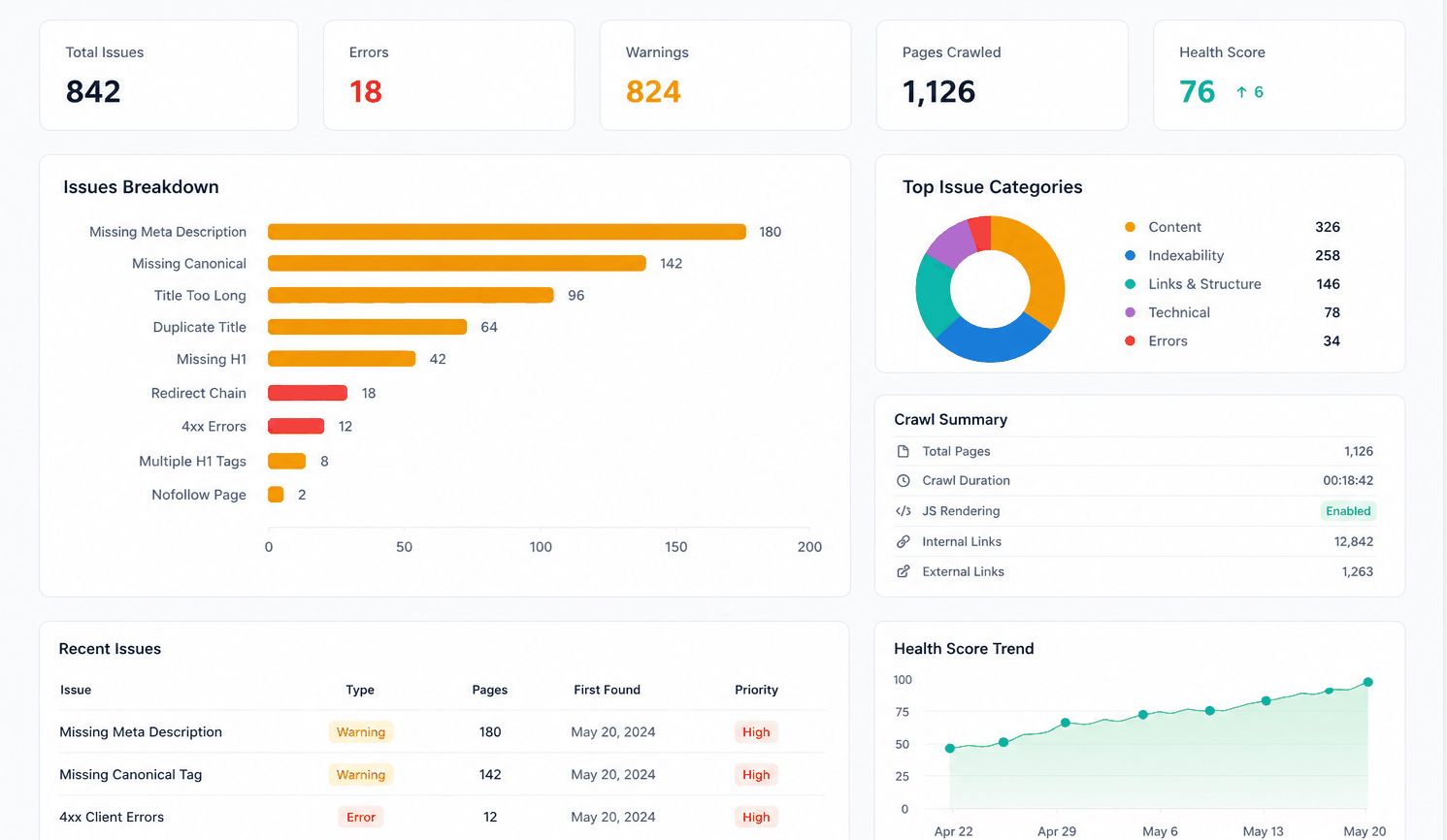
How the audit workflow works
Crawl
Enter your domain. CrawlTide auto-detects whether your site needs JavaScript rendering, discovers URLs from sitemaps and robots.txt, and crawls every reachable page.
Detect
Each page is checked against 25+ issue types across 5 categories. Issues are scored by severity, and every page gets a priority score based on traffic value and link importance.
Prioritize
CrawlTide generates prioritized action items with fix instructions, estimated impact, and difficulty levels. Setup action items auto-complete as you configure your project.
Fix & Track
Follow step-by-step fix guides, push title and meta description changes to WordPress, and re-crawl to verify. Health scores, issue trends, and change reports track your progress over time.
25+ issue types across 5 categories
Every issue is categorized by severity, scored by impact, and tracked across crawls so you can see what is improving and what still needs attention.
Errors
- Broken pages (4xx/5xx)
- Server errors
- DNS failures
Indexability
- Missing titles
- Duplicate titles
- Missing meta descriptions
- Duplicate meta
- Noindex conflicts
Content
- Thin content (low word count)
- Missing H1 tags
- Duplicate H1s
- Missing image alt text
Links
- Broken internal links
- Redirect chains
- Orphan pages
- External link issues
Technical
- Slow pages
- Large page size
- Missing canonical
- Mixed content
What makes CrawlTide audits different
Smart crawl detection
Automatically chooses fast mode or JavaScript rendering (Puppeteer) based on framework detection. Discovers URLs from robots.txt and XML sitemaps. Normalizes URLs to reduce duplicates.
Weighted health score
Not just an issue count. The score factors in severity, category importance, and page value. So a broken link on your homepage weighs more than a missing alt tag on a deep page.
Action items with fix guides
After every crawl, CrawlTide generates prioritized action items. Each includes what to fix, why it matters, estimated impact, difficulty level, and step-by-step instructions.
Change tracking
Compare any two crawls to see new pages, removed pages, fixed issues, and new issues. Health score trends and issue movement charts show progress over time.
Automatic audits
CrawlTide audits your site automatically on a schedule (up to daily or hourly, by plan), and a digest after each one summarizes what changed. Recrawl on demand anytime.
GSC integration
Connect Google Search Console to weight issues by real traffic data. Pages with high clicks get higher priority scores, and action items include traffic-at-risk context.
Available on all plans
Site auditing works on every plan, including Free (up to 500 pages per crawl). Paid plans unlock more pages, scheduled crawls, and advanced features like log file analysis and CMS publishing.
Compare plans →Run your first audit in under 5 minutes
Free plan includes 500 pages per crawl. No credit card required.
Start free