What Is JSON-LD? A Plain-English Guide to Structured Data for AI Search
Last updated: August 24, 2026
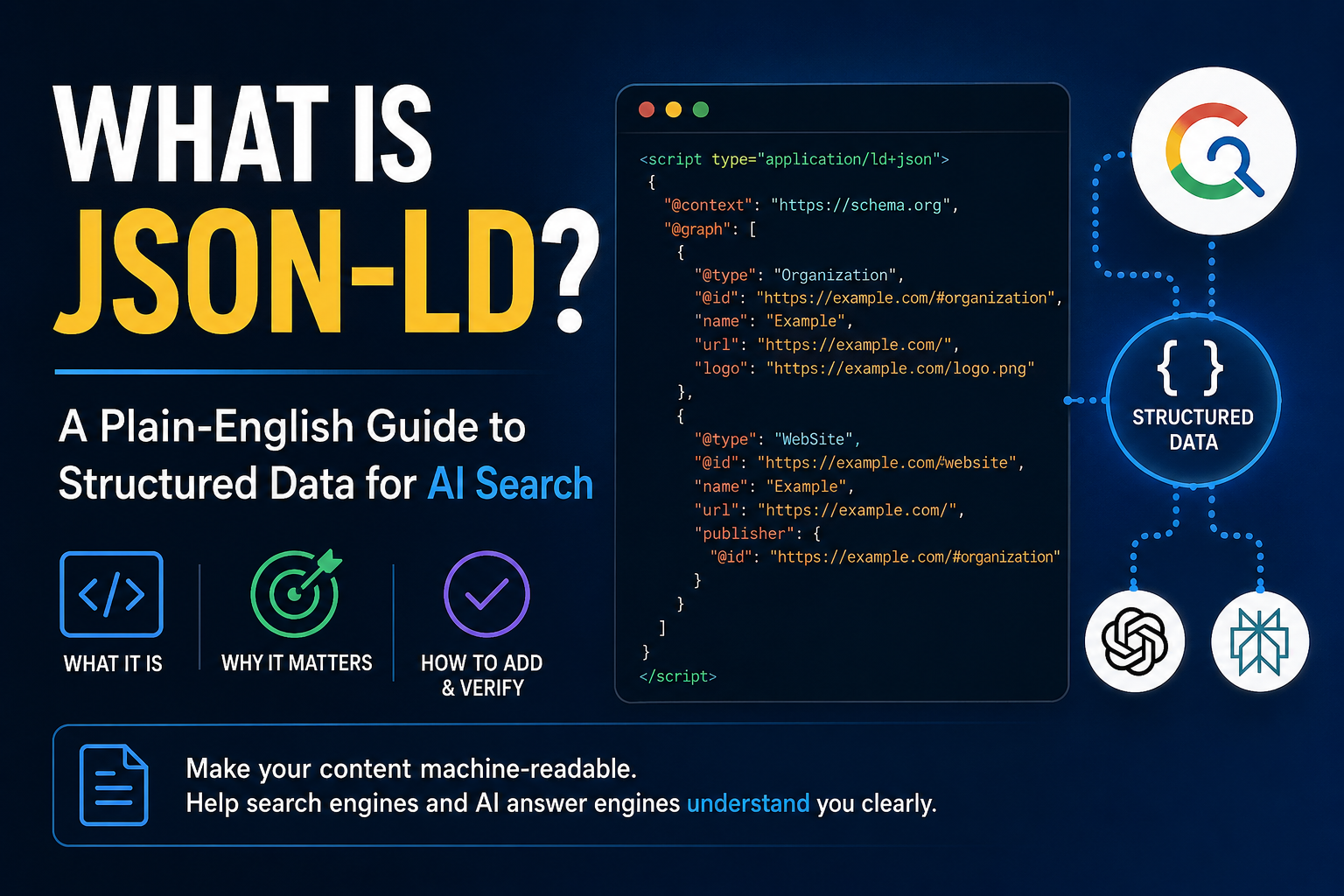
Table of Contents
You have almost certainly seen a block of code like <script type="application/ld+json"> in an SEO guide and scrolled straight past it. That block is JSON-LD, and it quietly decides how clearly a machine understands your page. Search engines read it. AI answer engines like ChatGPT, Perplexity, and Google's AI Overviews read it too. When your page only implies what it is through headings and prose, a machine has to guess. JSON-LD lets you state it plainly, in a format built for exactly that job.
What JSON-LD actually is
JSON-LD stands for JavaScript Object Notation for Linked Data. Strip the jargon and it is a small block of structured data, written as JSON, that describes the things on your page: the organization behind the site, the article, the product, the breadcrumb trail. It follows the shared vocabulary at schema.org, so "@type": "Article" or "@type": "Organization" mean the same thing to every engine that reads them. A local bakery might describe its LocalBusiness, its opening hours, and its menu; a SaaS site might describe its Organization, its SoftwareApplication, and the Article you are reading right now.
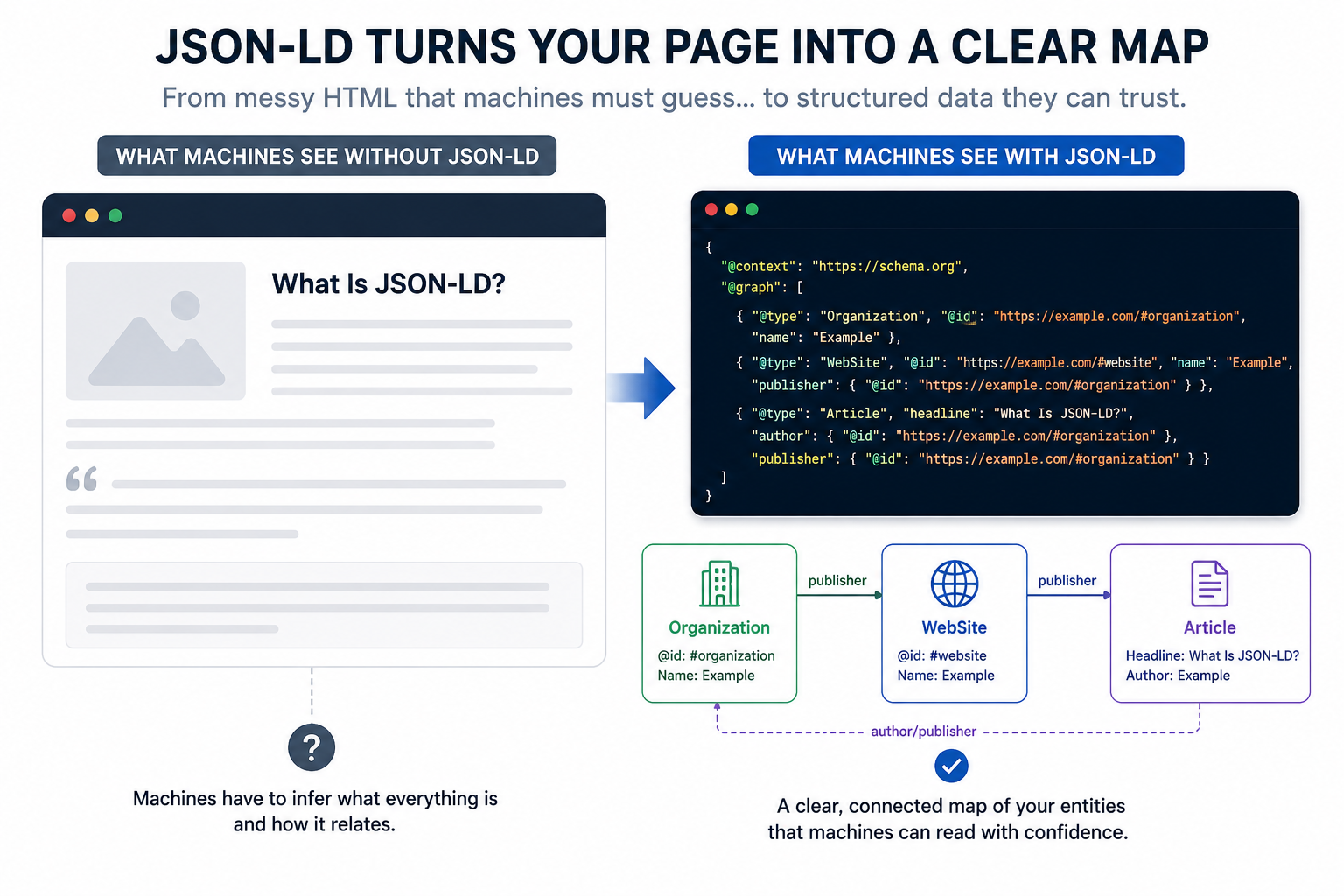
The "Linked Data" part is the interesting bit. Each entity can carry an @id, a stable identifier, and reference other entities by that id. That is how you tell a machine that the article on this page was published by the organization described a few lines down, without repeating yourself. The result is a clean, unambiguous map of your page that a crawler does not have to reconstruct from context.
Why JSON-LD matters for AI search
For years, structured data was mostly about rich results: star ratings, FAQ dropdowns, recipe cards. That still matters. But the larger shift is that AI answer engines now assemble responses from whatever they can parse confidently, and clean structured data is one of the easiest signals for them to trust. When an answer engine attributes a claim to a source, it has to be confident about who that source is, and structured data hands it that confidence directly instead of asking it to infer.
A model reading raw HTML has to work out what your page is about from layout and wording. Give it JSON-LD and there is nothing to work out. You have named the entities, typed them, and linked them together. That does not guarantee a citation, because nothing guarantees a citation. What it does is remove a specific failure mode: the one where a machine misreads or skips your page because it could not tell what it was looking at.
JSON-LD vs microdata and RDFa
Schema.org data can be written three ways: JSON-LD, microdata, and RDFa. Microdata and RDFa weave the markup into your visible HTML, attribute by attribute, which is fragile and painful to maintain. JSON-LD sits in a single script block, separate from the markup a user sees. You can add it, edit it, or move it without touching the page's layout.
Google recommends JSON-LD, and it is what most modern sites use, for one practical reason: it is the easiest format to add correctly and the hardest to break by accident. When someone tells you to "add schema," they almost always mean add JSON-LD.
How to add JSON-LD to your site
You add JSON-LD as a script tag in the page's HTML, usually in the <head> or just before the closing </body>. Here is a compact Organization plus WebSite block, the kind you would render once from a shared layout so it appears on every page:
{
  "@context": "https://schema.org",
  "@graph": [
    { "@type": "Organization", "@id": "https://example.com/#organization",
      "name": "Example", "url": "https://example.com/",
      "logo": "https://example.com/logo.png" },
    { "@type": "WebSite", "@id": "https://example.com/#website",
      "name": "Example", "url": "https://example.com/",
      "publisher": { "@id": "https://example.com/#organization" } }
  ]
}
The @graph array holds multiple entities in one block. The shared @id values let them reference each other, so a machine reads one consistent entity instead of two loose objects. Render it from a single layout component and it stays identical across the whole site, which is the entire point. Adding it in one place also means one thing to test and one thing to fix, rather than a copy on every template quietly drifting out of sync.
What we saw adding structured data to our own site
We ran CrawlTide's AI readiness audit on crawltide.com, found that Organization and WebSite schema were missing site-wide, and added them as one shared JSON-LD block in the footer. Before, structured-data coverage sat at 40% of pages (17 of 43). After re-crawling, it was 98% (42 of 43), from a single component. Our AI readiness score rose from 104 to 134 out of 230.
Here is the honest part: our own visibility tracking still showed us absent from most AI answers afterward. JSON-LD made the site far more legible; it did not make AI recommend us overnight. It is a foundation, not a switch, and treating it as anything more oversells it.
We tested that claim directly. We asked ChatGPT "What is CrawlTide?" once the schema was live, and it answered accurately and cited crawltide.com:
CrawlTide is an AI-powered SEO analytics platform for improving a website’s search visibility. It combines technical site audits for broken links, missing tags, redirects, and thin content; keyword research and rank tracking; backlink and competitor analysis; content-gap identification; monitoring of brand visibility in ChatGPT and Google AI Overviews; and prioritized recommendations explaining what to fix first. It offers a free plan with limited projects, crawled pages, and AI credits.
That is the real payoff of structured data: when an engine already has a reason to describe your entity, it describes it correctly and attributes it to you. What the same engine still would not do is name us unprompted for a broad "best SEO tool" query. Legible is not the same as recommended, and JSON-LD buys you the first, not the second.
Common JSON-LD mistakes
A handful show up over and over:
Describing things that are not on the page. Your JSON-LD should match the visible content. Marking up a review or a price a user cannot see is the kind of mismatch that gets flagged.
Inventing sameAs, ratings, or reviews. Do not claim social profiles you do not maintain or ratings you have not earned. It is dishonest and it is detectable.
Forgetting @type. Every real entity needs a type. A
@graphwrapper object itself does not, which quietly trips up some validators, including, for a while, our own.Letting it drift. Markup added page by page slowly falls out of sync after a redesign. One shared block does not.
Verify and monitor your JSON-LD
Once it is live, confirm a machine actually reads it the way you intended. Run the page through a validator or our schema markup checker to see the entities resolve, and use Google's Rich Results Test for eligibility. Then keep watching. Markup that silently disappears after a deploy is worse than markup you never shipped, because you now believe you are covered when you are not. Track your structured-data coverage over time, not just the day you add it.
Where JSON-LD fits
JSON-LD is one signal among many. Content quality, authority, links, and freshness still decide most of whether you get found and cited. What JSON-LD does is remove ambiguity cheaply and permanently, which makes every other signal easier for a machine to attach to the right entity. In practice that means fewer cases where an engine confuses your brand with a similarly named one, or credits your content to the wrong site.
If you are starting from nothing, do not try to mark up everything at once. Add one shared block with Organization and WebSite, render it from your layout so it covers every page, verify that it resolves, and stop there for now. That single change is the highest-leverage, lowest-risk piece of structured data most sites are still missing.
CrawlTide Team
CrawlTide is an AI-powered SEO platform that helps teams find and fix technical SEO issues, track keyword rankings, and optimize search performance.
Suggested Reading

Free SEO Tools That Stay Free: A Stack Built by Job
A free SEO stack sorted by job, with what each tool asks of you (account, billing details, page caps), including the new free AI search reports in Google Search Console and Bing Webmaster Tools.
8 min read
Should You Add an llms.txt File? What It Does and When It Pays Off
llms.txt is an emerging file that maps your best pages for AI engines. What it does, who actually honors it today, and how to write one in an hour.
7 min read
Schema Markup Examples That Still Earn Rich Results in 2026
Google quietly retired HowTo and FAQ rich results, but most schema guides still recommend them. Here is which markup still renders, by page type, and how to check it before it ships.
9 min read